Did you know that you can upgrade your old or early version of Nokia N73 to the new N73 Music Edition? Well here's the tip. Maybe you also want to remove your operator interface such as TIMs, T-Mobile, O2, Orange or any other operator that you have contract with. All can be done with the same tip that i about to post here.
Firstly, you need Nemesis Service Suite (NSS). To download click
here. I'm gonna show you all step by step on how to install NSS. But, I want to apologise first for not using any phone to really show how NSS works. But, I guaranty this will work sinced I've done this procedure very often. Okay, let move on.
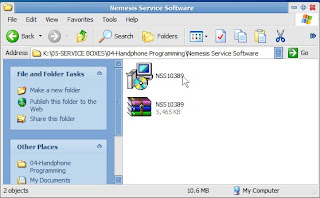
1.After you have downloaded NSS, extract to you defined folder and double click to start installation.
2.
All you need to do is just follow the arrow sign. Click on 'Next'.
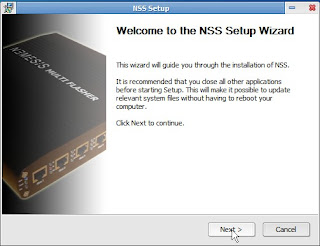
3.Choose any shortcut that appropriate to you.
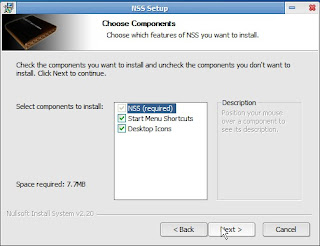
4.Choose 'Virtual USB Device', as you only need this to go with. Other option are for advanced users, i.e: technician, phone software programmer.
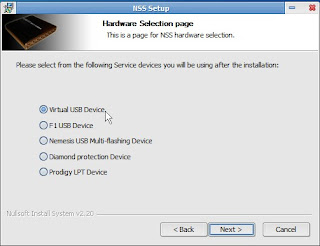

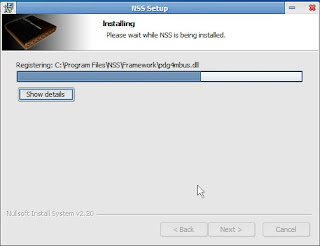
And, walla.... finish installation. click no on 'NSS Driver Installation'.
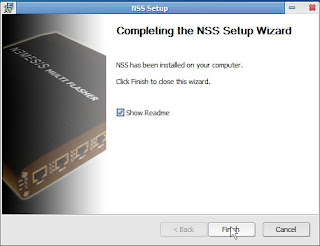

You all will have this icon on your screen.

How To Use It?
Actually it takes less than 10 minutes to use it, depends on your connectivity cable provided by Nokia or the clone ones. I suggest the provided one. Better keep it handy to have two cables. Before we go through this process please backup your phone data, i.e: contact, sms, gallery items. Not that we wanted something bad to happen, it can be unsuspected. An old Malays' say 'better to have umbrella before it rains'.
1. Click on the magnify glass icon to scan your device.
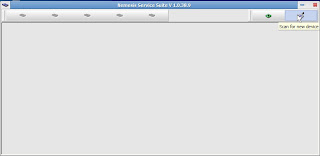
2. Then it will show this page.
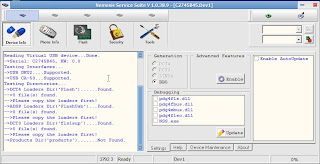
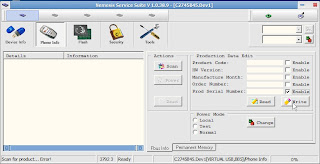
3. Click on 'Phone Info'. Then click the button 'Scan' as it will scan for you phone info and display the info in the empty box and on the right panel.
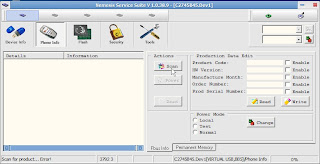
4. Tick 'Enable' on the right box next to 'Product Serial Number' and click button 'Write'. NSS will write the new product code to you phones. If you feel you don't believe it, click on scan 1 more time, then maybe you'll believe it. Here are the product code that can be use to replace you old product codes. These product codes also define the language for you phones, so if there is language problem from previous product codes, this will solve it. Also this product codes are non-branded ones, as it will remove your operator setting from your phone. I know that T-Mobile always do that and it's ugly. Hehehehehehee no offense heh... please remember these codes are meant
for N73 only, for other models you have to
googled around for their product codes. I suggest you all to join
GSM-Forum, under Nokia: BB5 section.
0537289 Euro 1
0539193 France
0539207 Alps
0539239 Euro 2
0539256 Turkey
0539265 south Africa
0539269 Scandanavia
0539278 Baltains
0539279 Russia
0539284 Ukraine
0539285 Bulgaria
0539289 Hungary
0539291 Balkans
0539293 Greece/Cypurs
0539294 Lebanon
0539295 Gulf
0539298 Israel
0539299 Romania
0539343 Chinese, English
0539346 Philippines,English, Indonesia, Malaysia, Philipino
0539349 Australia/New Zealand,English, Indonesia, Malaysia,Philipino
0539352 Indonesia -> English, Indonesia, Malaysia, Philipino
0539354 India/Vietnam -> English, Indonesia, Malaysia, Philipino
0539351 Thailand -> English, Thai
0539341 Belarus
(Sorry guys, those are all the codes,that I know, there are many more for every region of the world)
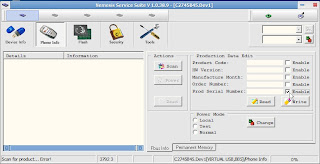
So, we are done here. Next thing you have to do is to run Nokia Software Updater (NSU) to update you phones. How to use NSU? Please read my previous post in Tech Tips section.
|ch|baN also admin for , Utara Hati Enterprise's blog. This post will also be available in Supports & Downloads section in Utara Hati Enterprise's blog soon.